Kiln Schedule Designer
My Glass Cookbook
Launch App
Generate custom kiln firing schedules for Bullseye, Oceanside, and Wissmach fused glass — tailored to your exact project in seconds. Free, browser-based, no spreadsheets, no guesswork.
 COE 96
 COE 96
 COE 90
Growing every day
kiln schedules generated
and counting · updated in real time
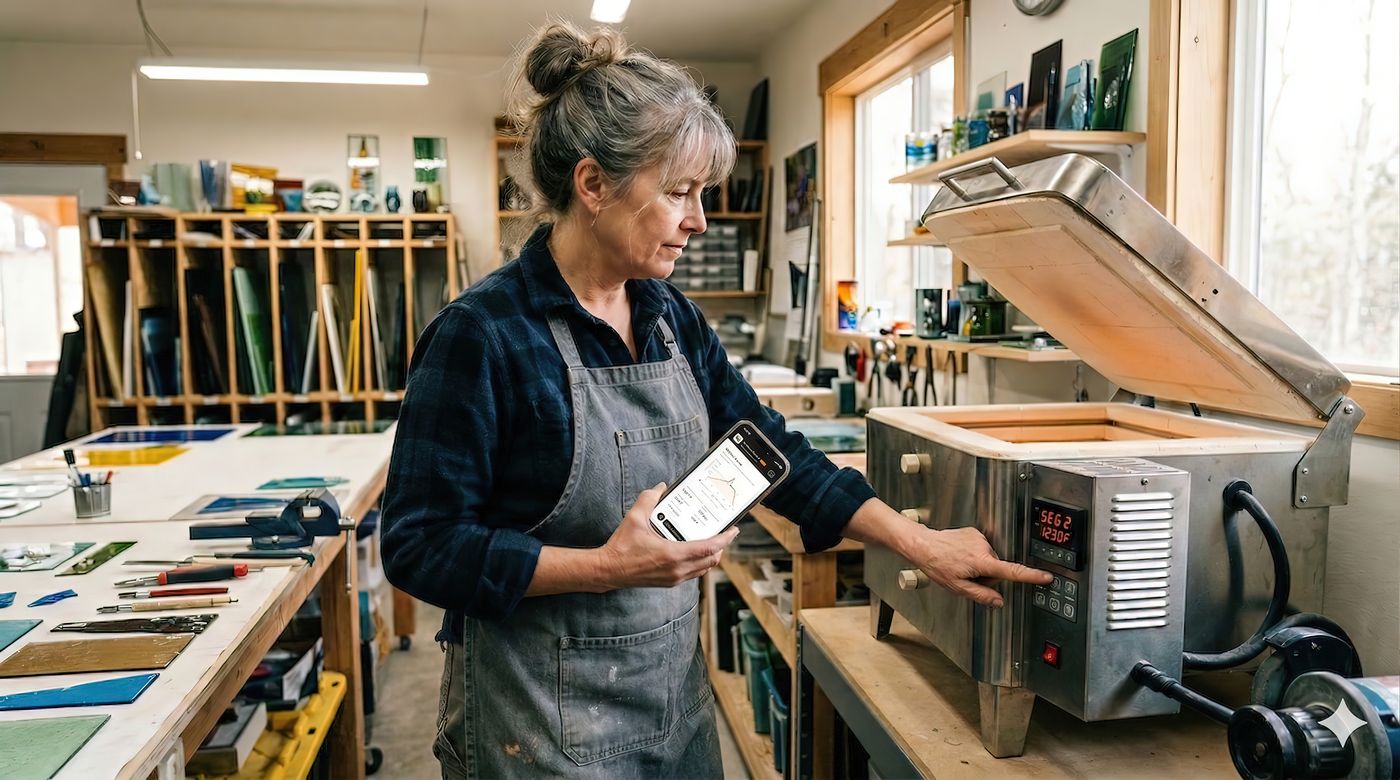
See It in Action
From choosing your firing profile to monitoring your kiln in real time — every step is designed to feel intuitive and beautiful.
What it does
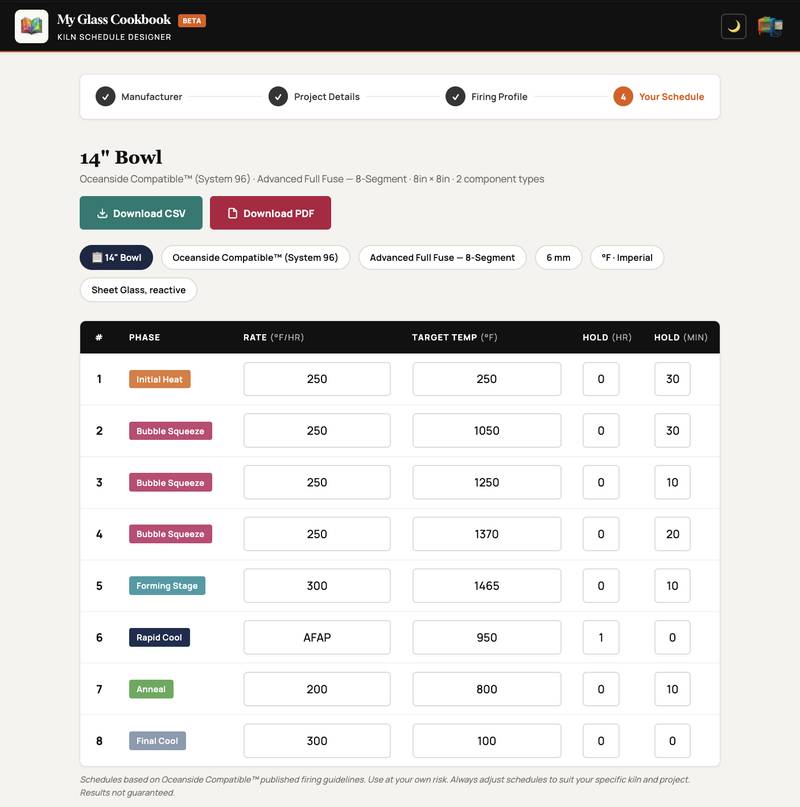
The Kiln Schedule Designer takes care of the technical details so you can focus on the art. Enter your project — get your schedule.
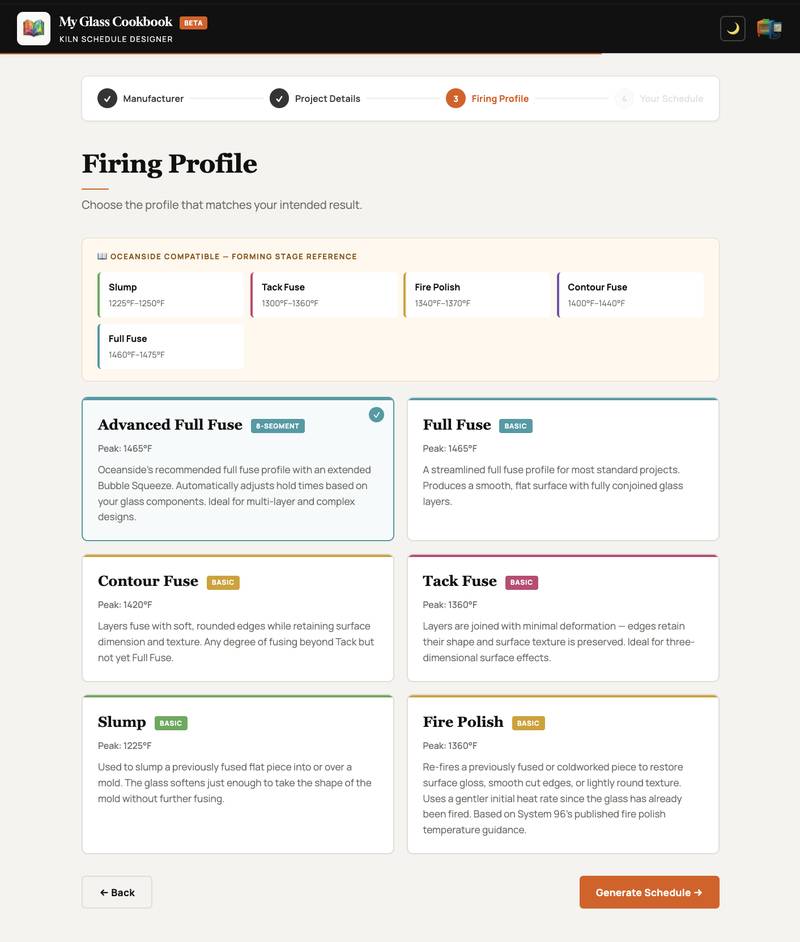
Choose from professionally calibrated profiles including Full Fuse, Tack Fuse, Slump, Fire Polish, and more — for Oceanside Compatible™ (System 96), Bullseye Glass (COE 90), and Wissmach Glass (COE 96). Each profile is tuned to the correct peak temperatures and hold times.
Select the glass components you're using — sheet, frit, noodles, stringers, dichroic, or Bullseye-specific reactive and cadmium-bearing glass — and the app automatically calculates the optimal bubble squeeze hold times.

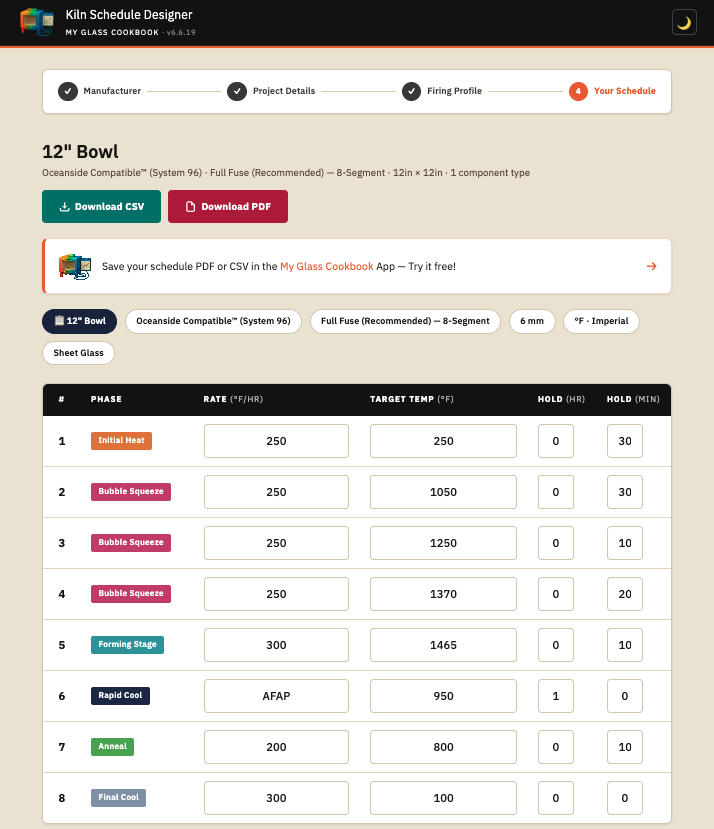
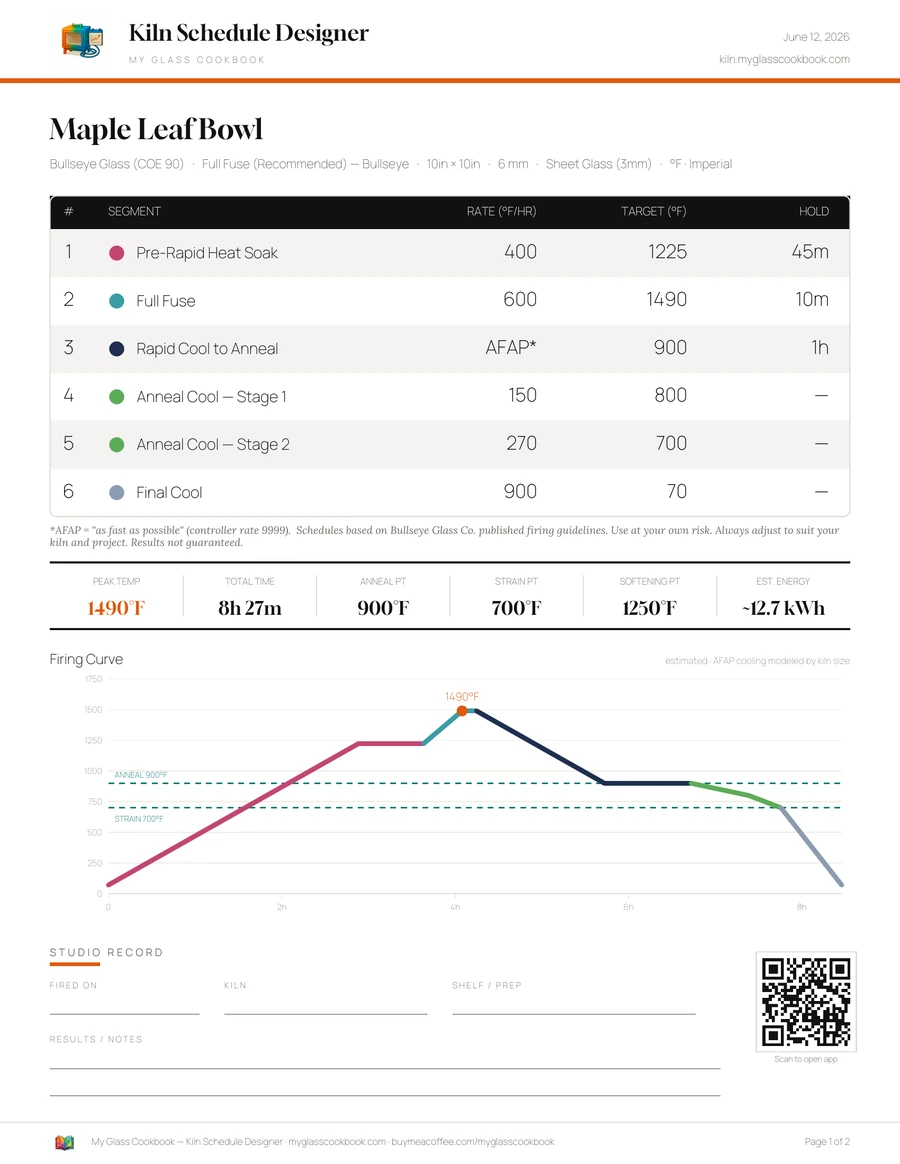
Download your finished schedule as a CSV file for programming your kiln controller directly, or as a beautifully formatted PDF — complete with the firing curve chart, segment notes, and reference temperatures — to keep in your studio.
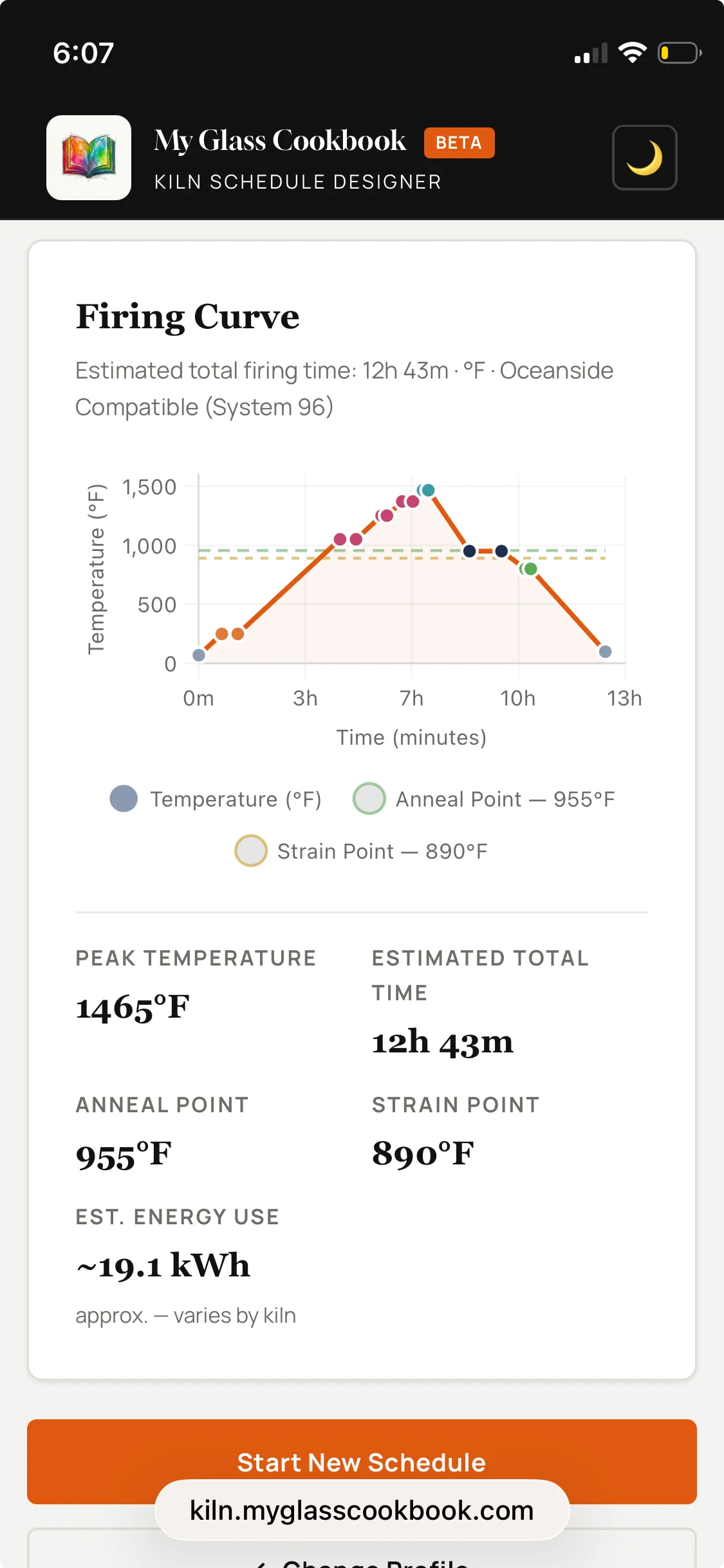
Every segment is editable. Adjust any rate, target temperature, or hold time directly in the table — the firing curve chart updates in real time so you can visualize your changes instantly before downloading.
PDF Export
Every schedule exports as a print-ready pin-up sheet — your full firing table, curve, and key temperatures on a single page, with room to log how the firing went.
Prefer programming your controller directly? The same one-click export also produces a CSV.
How it works
No setup required. Open the app and you're ready to go in under a minute.
Choose your glass manufacturer, enter the piece dimensions and thickness, then select the glass components you're working with. The app uses this to calculate bubble squeeze timing automatically.
Select the profile that matches your intended result — Full Fuse, Contour, Tack Fuse, or Slump. Each profile shows the peak temperature and a plain-language description to help you choose.
Review your complete firing schedule with the live chart, edit any segment you need to adjust, then download as CSV for your controller or PDF for your records.
New Feature
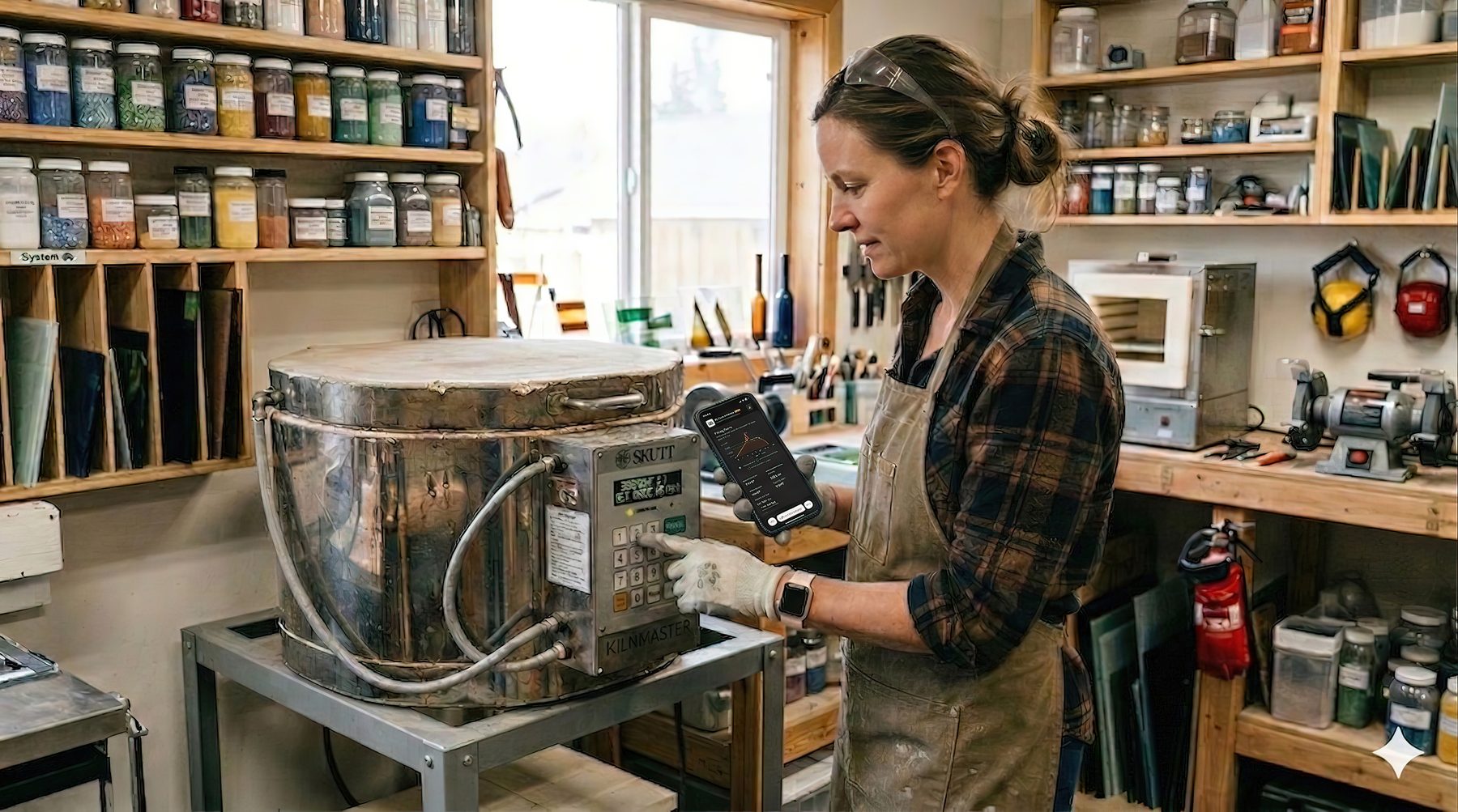
Start the Firing Monitor after generating a schedule, and it follows your firing curve live — alerting you at every key segment so you never miss a critical hold.
Draggable floating panel — the monitor sits on top of your schedule so you can reference both at once. Minimize it to a small pill when you need the screen space.
One button, and you're tracking. After generating any schedule, press Start Firing Monitor to begin. Your full schedule, chart, and notes stay right where they are.

Glass Catalog
Browse the full Bullseye, Oceanside, and Wissmach product ranges — nearly 2,800 glasses — filtered by manufacturer, form, opacity, colour family, and reactivity. Every selection you make feeds directly into your schedule.
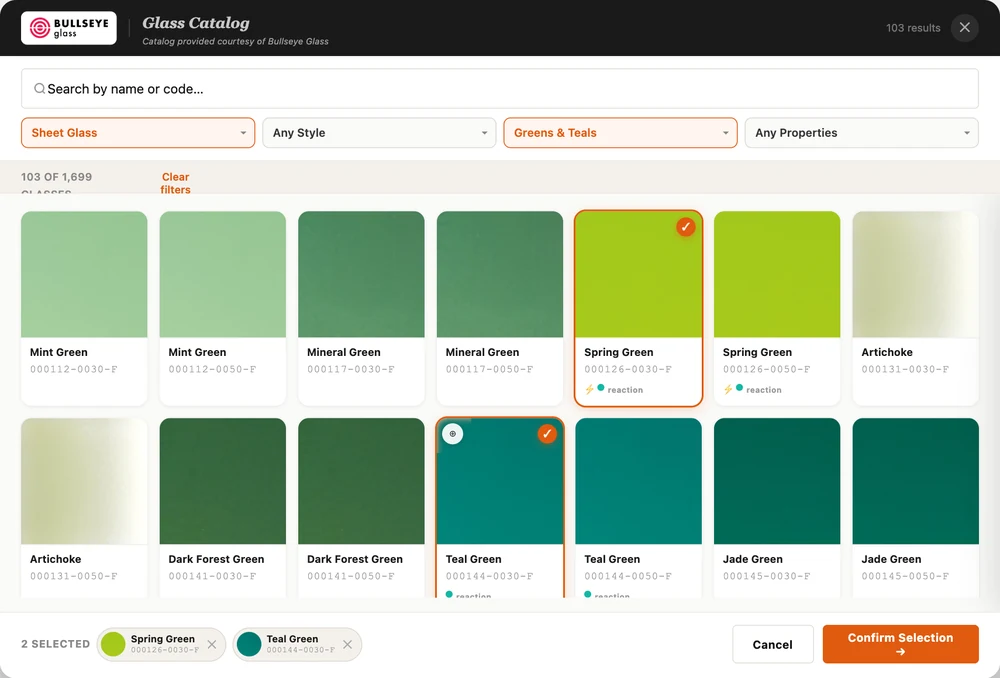
Bullseye Glass — COE 90 · real catalog, real product photos
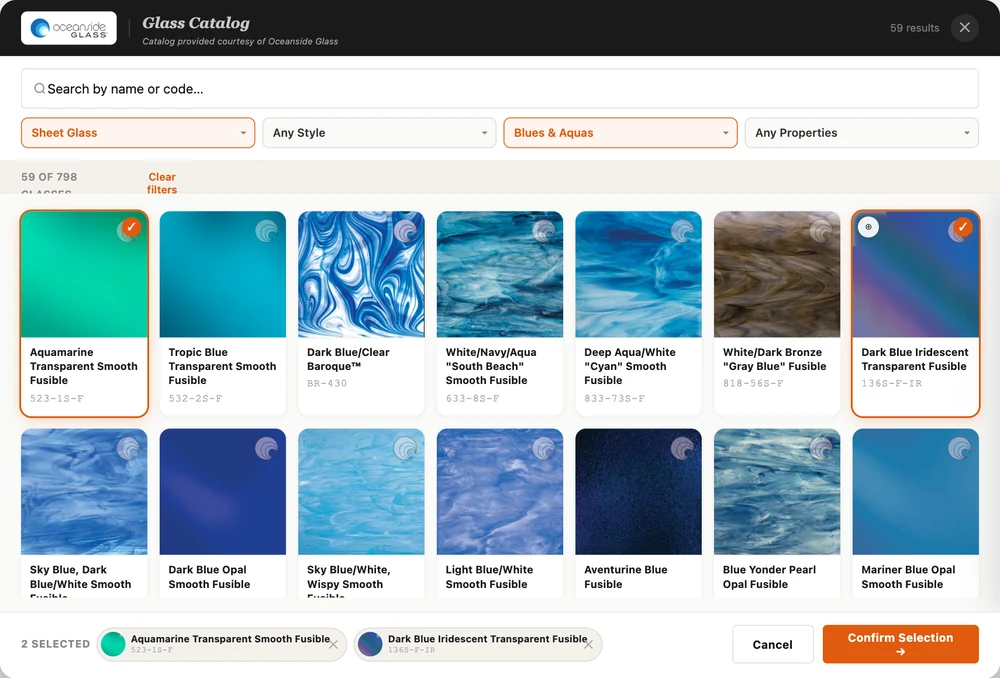
Oceanside Compatible — System 96 · filtered to Blues & Aquas
A closer look
Clean, uncluttered, and built to work on any device — from your studio desktop to your phone by the kiln.
Step 2 · Project Details
Step 4 · Your Schedule
Open the app on your phone right next to the kiln. No installation, no account — just bookmark it and go.
Mobile · Step 3 · Choose Profile
Ready when you are
Free, no account required, and works in any modern browser. Just open it and start designing.
Launch the Kiln Schedule DesignerA short email about once a month — new firing profiles, catalog updates, and kiln-forming techniques. No spam, ever.
Get in touch
Send us your ideas for new features, manufacturers to add, or let us know about a firing that didn't go the way you expected — we'd love to hear from you.